
Your SIM card is one of the most important parts of your mobile phone. It allows you to make calls, send messages, and connect to mobile internet. Without it, your phone is just a device with no network access. Sometimes, though, your SIM card may stop working — you lose network signal, can’t make calls, or your phone says “No SIM.”
When that happens, it’s important to know how to check if your SIM card is actually working. The process is simple, and anyone can do it without needing technical skills.
In this complete guide, we’ll go step-by-step through how to test your SIM card, understand possible problems, fix errors, and even check ownership and registration details using IMSIDB — a reliable online platform that helps you find unknown numbers and CNIC details in Pakistan.
What Is a SIM Card and How Does It Work?
Before we start checking your SIM card, let’s understand what it really is.
A SIM card (Subscriber Identity Module) is a small chip that stores your phone number, network details, and subscriber identity. It connects your phone to the mobile network, allowing you to make calls, send SMS, and use mobile data.
It also holds your IMSI (International Mobile Subscriber Identity) number, which is used by your network to recognize you as an active user. This unique identification is what links your phone to your carrier’s system.
When you insert a SIM card into a phone, it sends a request to your carrier’s tower to register on the network. Once verified, you get access to calls, data, and messaging.
If your SIM card is damaged, deactivated, or not properly inserted, your phone won’t be able to connect to the network — which is when you need to check if it’s working correctly.
Common Signs That Your SIM Card Is Not Working
Here are some common signs that indicate a SIM card problem:
No Service or No Signal
If your phone shows “No Service” or “Emergency Calls Only,” it means your SIM isn’t connecting to the mobile network.Invalid SIM or No SIM Detected
If the phone says “No SIM,” “SIM not detected,” or “Invalid SIM,” the card might not be inserted properly, or it may be damaged.Can’t Make or Receive Calls
When your SIM card isn’t working, you won’t be able to call anyone or receive calls.No Mobile Data
Even if you can make calls, but your data doesn’t work, your SIM card or APN settings might be misconfigured.Frequent Network Drops
If your phone keeps losing connection or switching to “No Service,” it could mean your SIM or its metal contacts are dirty or damaged.SIM Toolkit Not Working
Many networks use a SIM toolkit for specific features. If it doesn’t open or crashes, that’s another sign your SIM might be malfunctioning.
Reasons Why a SIM Card Stops Working
Let’s look at some common reasons behind SIM card issues:
Improper Insertion
If the SIM isn’t placed correctly, your phone won’t detect it. Always make sure it’s sitting firmly in the SIM tray.Dust or Dirt
Dust can build up on the SIM card or inside the slot. This prevents proper contact between the card and phone.Physical Damage
Scratches, cracks, or bending can make your SIM unreadable.Network Issues
Sometimes, the problem isn’t your SIM but the carrier’s network. Tower maintenance or outages can cause temporary signal loss.Deactivated SIM
Carriers deactivate SIMs that haven’t been used for months. If you haven’t recharged or used your number, this might be the reason.Outdated Device Software
An outdated phone operating system can cause network errors, especially after updates from your mobile carrier.Incorrect Network Settings
If your phone has wrong APN settings or airplane mode enabled, your SIM won’t connect properly.SIM Registration Issues
In Pakistan, unregistered or unverified SIMs are automatically blocked under PTA rules. That’s where IMSIDB can help you confirm ownership and registration details.
Step-by-Step Guide: How to Check If Your SIM Card Is Working
Now, let’s move on to practical ways to check your SIM card’s functionality. Follow these simple steps in order.
Step 1: Check the SIM Card Insertion
Turn off your phone.
Eject the SIM tray carefully using the ejector pin.
Remove the SIM and check for any dust, scratches, or cracks.
Gently clean the golden part with a soft cloth.
Reinsert it firmly into the tray and restart your phone.
If the phone detects the SIM and shows the network name, it’s working fine.
Step 2: Try the SIM in Another Phone
To confirm whether the problem is with your SIM or your device:
Remove the SIM and insert it into another phone.
If it works there, your phone may have a hardware or software issue.
If it doesn’t work in another phone either, the SIM is likely faulty or deactivated.
Step 3: Check for Network Outages
Sometimes the issue is temporary and network-related. You can:
Contact your carrier’s helpline from another number.
Ask if there’s a service outage in your area.
If there is, just wait — it should fix itself when the network is restored.
Step 4: Toggle Airplane Mode
If your phone can’t connect to the network:
Turn Airplane Mode on.
Wait 30 seconds, then turn it off.
This refreshes your phone’s connection to the nearest tower.
Step 5: Reset Network Settings
Sometimes, resetting your network settings can solve SIM issues.
For Android:
Go to Settings > System > Reset Options > Reset Network Settings.
For iPhone:
Go to Settings > General > Transfer or Reset iPhone > Reset > Reset Network Settings.
After the reset, your SIM should reconnect to the carrier automatically.
Step 6: Update Your Phone Software
Outdated software can interfere with network access. Always install the latest updates from your phone manufacturer.
Step 7: Check SIM Registration and Ownership (Using IMSIDB)
If your SIM card still doesn’t work, it’s possible that it’s not registered properly. In Pakistan, every SIM must be verified through CNIC under PTA rules.
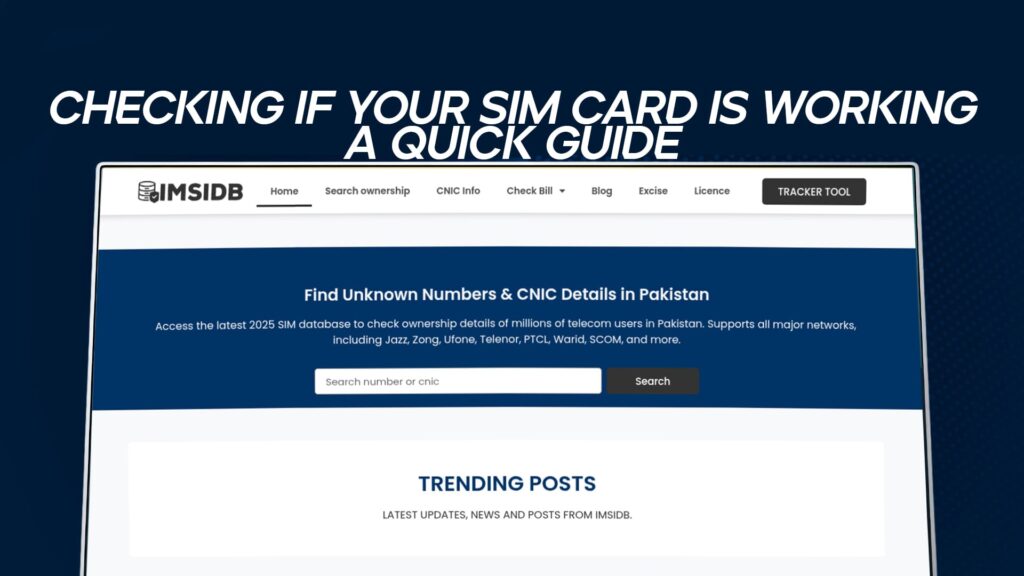
IMSIDB makes it easy to verify the registration and ownership of your SIM card. It allows users to find unknown numbers and CNIC details linked with telecom users across Pakistan.
By checking your SIM registration here, you can make sure your number is active and legally verified. It’s also useful if you’re getting calls from unknown numbers — you can look up ownership details and confirm authenticity.
IMSIDB is especially helpful when:
You’ve lost track of how many SIMs are registered under your CNIC.
You suspect your SIM was cloned or misused.
You want to confirm the network provider or ownership of a number.
How to Keep Your SIM Card Safe and Active
Here are some tips to protect and maintain your SIM card:
Avoid Moisture and Heat
Keep your SIM away from water or direct sunlight. Excessive heat can damage the chip.Don’t Scratch or Bend It
Handle it gently when inserting or removing it.Keep It in a Clean Tray
Clean your SIM slot occasionally to prevent dust buildup.Use It Regularly
Make at least one call or send one message every few weeks to prevent automatic deactivation.Keep Your CNIC Information Updated
If you change your ID or details, update your SIM registration as well.Monitor Unfamiliar Activity
If you receive alerts or messages for numbers you don’t own, verify through IMSIDB to ensure no one is misusing your identity.
Fixing Common SIM Problems
Here are some troubleshooting tips for specific issues:
1. SIM Not Detected
Clean the SIM contacts.
Reinsert it correctly.
Test it on another phone.
2. No Network Signal
Move to an open area.
Turn Airplane Mode on/off.
Manually select your carrier from network settings.
3. SIM Card Locked
Enter the correct PIN.
If locked, use your PUK code (available from your carrier).
4. Mobile Data Not Working
Check APN settings.
Enable data in SIM settings.
Reset network configurations.
5. SIM Deactivated
Contact your carrier to reactivate.
Verify ownership through IMSIDB if needed.
Why SIM Registration Matters in Pakistan
In Pakistan, all SIM cards are strictly regulated by PTA to prevent misuse. Every SIM must be registered against a valid CNIC.
Using IMSIDB, you can quickly verify if your SIM is registered to your name. It also helps you identify unauthorized numbers linked to your ID. This is an important step in protecting your identity and ensuring your SIM remains active under your ownership.
If a SIM is found unregistered or used under fake credentials, it can be blocked permanently. That’s why checking your SIM registration status is just as important as checking if the SIM is working physically.
How IMSIDB Helps You Beyond SIM Status Checks
IMSIDB is not just useful for checking if your SIM card is active or registered. It also helps you:
Find Unknown Numbers — Identify callers or suspicious numbers.
Trace CNIC Details — View registration details linked with phone numbers.
Verify SIM Ownership — Ensure your number is registered to your own CNIC.
Prevent Misuse — Detect unauthorized numbers linked with your identity.
It’s a simple, reliable, and free platform that provides verified telecom data across Pakistan. If you ever face issues with your SIM or need to confirm ownership, IMSIDB can guide you quickly and safely.
How to Know If You Need a New SIM Card
Even after all these checks, sometimes the SIM itself has reached the end of its life. Here’s when you should replace it:
It’s physically damaged or cracked.
It doesn’t connect to any network despite being registered.
It fails in multiple phones.
Customer support confirms it’s inactive or blocked.
In such cases, visit your nearest network service center with your CNIC and request a SIM replacement. You’ll get the same number on a new card.
Understanding the Difference Between Active, Blocked, and Expired SIMs
| SIM Status | Meaning | What to Do |
|---|---|---|
| Active | Working normally, connected to network | No action needed |
| Blocked | Temporarily suspended due to non-usage or verification issue | Verify CNIC or contact carrier |
| Expired | Permanently deactivated after long inactivity | Get a new SIM |
| Unregistered | Not linked to a valid CNIC | Register through PTA or verify using IMSIDB |
Keeping your SIM active means using it often and keeping your details up to date.
How to Register or Re-Verify Your SIM in Pakistan
If IMSIDB shows your SIM is unregistered or linked to an old CNIC, follow these steps:
Visit your nearest franchise or customer service center of your network.
Bring your original CNIC.
Request a SIM verification or re-registration.
Provide biometric verification (fingerprint).
Wait for confirmation SMS from your carrier.
Once approved, your SIM will be active and recognized as yours.
How to Test Your SIM Online
While physical tests are important, online checks help confirm registration details.
You can:
Use your carrier’s website or app to check activation.
Use IMSIDB to view SIM ownership information.
Confirm the network and CNIC details associated with your number.
This saves time and helps you confirm everything without visiting a store.
Maintaining SIM Health Over Time
Your SIM card can last for years if cared for properly. Follow these maintenance habits:
Keep it in a phone case to protect from drops.
Avoid removing it frequently.
Store unused SIMs in a cool, dry place.
Always power off your device before swapping SIMs.
Doing these small things ensures longer life and fewer connection issues.
You can test it by inserting it into another phone, checking for network signals, or verifying ownership through IMSIDB.
This usually means your SIM isn’t properly inserted, damaged, or inactive. Clean it and reinsert it securely.
Yes, if it hasn’t been permanently deactivated. Visit your carrier’s outlet with your CNIC for reactivation.
You can confirm SIM ownership and CNIC registration details using IMSIDB.
Restart your phone, check network settings, and try the SIM in another device. If it still fails, verify its registration or replace it.
Conclusion
Checking whether your SIM card is working is something anyone can do — no need to be a tech expert. From cleaning and reinserting to testing in another phone or resetting settings, each step helps identify the problem.
If your SIM turns out to be inactive or unregistered, IMSIDB is your go-to platform to verify ownership, CNIC details, and unknown numbers quickly and securely.
Staying aware of your SIM’s condition and registration not only ensures smooth connectivity but also protects your identity from misuse. Always keep your SIM clean, active, and verified — that’s the key to a reliable mobile experience.