
Our phones hold more value than ever before. From connecting with friends and family to handling work and financial matters, a mobile number is now part of our identity. But have you ever received a call or message from an unknown number and wondered who it was? That’s where IMSIDB comes in.
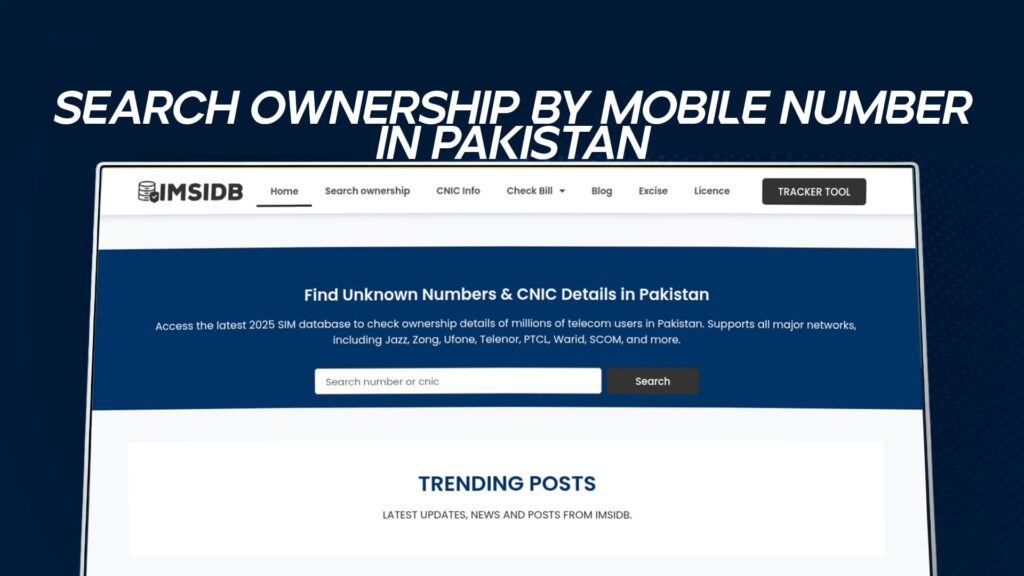
IMSIDB is an online platform that helps you find ownership details of mobile numbers in Pakistan. Whether you’re trying to identify unknown callers, check CNIC information linked to a number, or verify a suspicious call, IMSIDB offers a quick and free solution.
This detailed guide will help you understand everything about searching mobile number ownership in Pakistan using IMSIDB, including how it works, why people use it, its features, and how to stay safe while using such tools.
What Is IMSIDB?
IMSIDB is a digital lookup service that allows users to search ownership by mobile number and access related CNIC information in Pakistan. It’s an easy-to-use online tool where anyone can enter a mobile number and get public information about the registered owner.
The platform aims to make caller identification simple for users who frequently deal with spam, unknown numbers, or unwanted calls. Instead of ignoring suspicious calls, IMSIDB helps you know who’s calling before you pick up.
IMSIDB collects data from verified public databases and ensures users can safely check information without needing to install any apps or share personal details.
Why Search Ownership by Mobile Number?
In Pakistan, phone scams, spam calls, and anonymous texting have become common. Many people want to identify the person behind a number for safety or personal reasons. Here are some common scenarios where searching ownership becomes important:
Unwanted Calls or Messages
If you receive calls or texts from someone you don’t recognize, IMSIDB helps you find who’s behind that number.Missed or Unknown Calls
Sometimes you get a missed call from an unknown number, and you’re unsure whether to call back. With IMSIDB, you can check the ownership before responding.Verification Purposes
Businesses, employers, and individuals sometimes need to verify whether a number is linked to the right CNIC or person.Protecting Against Fraud
Many online scams begin with fake calls or messages. By checking ownership, you can prevent potential fraud or identity theft.Finding Lost Contacts
If you have an old number and want to confirm who it belongs to now, IMSIDB helps you reconnect or verify ownership.
How IMSIDB Works
IMSIDB operates through a secure database that holds public information about phone numbers and CNICs. The process is straightforward:
Visit IMSIDB
Access the website through your browser. There’s no need to download an app or register an account.Enter the Mobile Number
Type the phone number you want to search for, including the correct Pakistani code (for example, 0300xxxxxxx).Submit Your Search
Click on the search button to start the lookup. The system processes the number through its database.Get Instant Results
Within seconds, you’ll get ownership details such as the name of the person, their CNIC number (if available), and sometimes additional data like location or operator name.
It’s fast, free, and doesn’t require any personal information from you.
Features of IMSIDB
IMSIDB stands out among similar tools because it offers several key features that make searching easy and reliable.
1. Free Access
You don’t need to pay or sign up for an account. All searches are completely free, which makes it convenient for everyone.
2. Accurate Information
The data is sourced from reliable databases, giving you updated ownership details linked to Pakistani networks.
3. Fast Search Results
It takes only seconds to find the ownership information after entering a mobile number.
4. Simple Interface
The website is easy to use even for people with basic computer skills. You just enter the number and get instant results.
5. No App Required
IMSIDB works directly through your browser. It’s lightweight, which means you don’t have to worry about storage or app permissions.
6. Safe and Secure
IMSIDB ensures user privacy. You can search numbers anonymously without sharing your own phone number.
Understanding Mobile Ownership in Pakistan
Every SIM card issued in Pakistan is registered with the Pakistan Telecommunication Authority (PTA) through the Biometric Verification System (BVS). That means every active mobile number is connected to a CNIC (Computerized National Identity Card).
When a person buys a SIM card, they must provide biometric fingerprints and a valid CNIC. This system helps prevent misuse and illegal activities.
However, sometimes people misuse numbers under someone else’s CNIC, or unauthorized numbers get registered. That’s why people often check number ownership through services like IMSIDB — to verify that the number belongs to the right person.
Why IMSIDB Is Useful for Everyday Users
IMSIDB has become popular across Pakistan for several reasons. Let’s look at some of its most practical uses:
1. Protect Your Privacy
Knowing who is calling you helps you decide whether to answer or block the number. This prevents unnecessary communication with strangers or scammers.
2. Prevent Scams and Fraud
If someone tries to contact you for financial or personal details, you can verify their identity before responding.
3. Track Unknown Callers
You can trace the name or CNIC details behind a suspicious number without hiring an investigator or contacting the telecom company.
4. Useful for Businesses
Companies can verify numbers of clients or employees to avoid fake or incorrect information.
5. Peace of Mind
Sometimes, it’s just about feeling safe. Knowing the person behind a number helps build confidence when communicating online or through calls.
How to Use IMSIDB Effectively
To get the best results from IMSIDB, follow these simple tips:
Use Complete Numbers:
Always include the full 11-digit number with the correct network code (e.g., 0300, 0311, 0322, etc.).Avoid Multiple Searches Quickly:
Wait a few seconds between searches to let the system load results properly.Use Updated Information:
Make sure you’re connected to a stable internet connection to get accurate and fast results.Check Multiple Numbers:
If you’re unsure about a call or message, check all related numbers for better clarity.
Networks Covered by IMSIDB
IMSIDB covers all major telecom networks in Pakistan, including:
Jazz / Mobilink
Zong
Ufone
Telenor
Warid (merged with Jazz)
SCOM (for northern areas)
No matter which network a person uses, you can find ownership details using IMSIDB.
Legal and Ethical Use
While IMSIDB provides valuable information, it’s important to use it responsibly. The tool is meant for personal safety, verification, and transparency, not for harassment or invasion of privacy.
Avoid using ownership details for illegal or harmful purposes. Always respect others’ privacy and ensure your search has a valid reason.
IMSIDB encourages users to act responsibly and follow Pakistan Telecommunication Authority (PTA) regulations regarding data use.
How IMSIDB Protects User Privacy
Privacy is a top priority for IMSIDB. The platform never asks users to log in, register, or provide personal data. Searches are conducted anonymously.
Moreover, the site doesn’t store your search history or track your location. It only delivers available public information related to the number you entered. This makes IMSIDB both safe and trustworthy for everyone.
The Growing Importance of Mobile Number Lookup in Pakistan
Pakistan’s population of over 240 million relies heavily on mobile communication. Millions of calls and messages are exchanged daily. Unfortunately, this has also led to a rise in spam, fake calls, and fraud attempts.
That’s why platforms like IMSIDB are becoming essential tools for digital safety. They help people stay informed, protect their privacy, and build trust in communication.
With internet access expanding across urban and rural areas, IMSIDB’s role in providing public verification is only becoming more relevant.
Step-by-Step Guide to Finding Mobile Number Ownership
If you want a detailed walkthrough, here’s how to use IMSIDB step-by-step:
Open your browser on any device (phone, tablet, or computer).
Go to IMSIDB.
Type the mobile number you want to search for in the search bar.
Press “Search.”
Wait a few seconds. The system will scan available data sources.
View the results showing the number’s ownership name, CNIC, or related details.
It’s as simple as that. The entire process takes less than a minute.
Common Problems and Their Solutions
Sometimes, users face issues while searching numbers. Here are common problems and how to fix them:
1. No Results Found
Try rechecking the number format.
Make sure the number is active or correctly typed.
2. Page Not Loading
Refresh the page or check your internet connection.
3. Slow Response
Avoid multiple searches quickly; let the system refresh between searches.
4. Wrong Details
Databases update regularly, so if the ownership has recently changed, results may take time to reflect.
Comparison with Other Services
There are a few other services that let users check mobile number details, but IMSIDB stands out because of its reliability, free access, and updated database.
| Feature | IMSIDB | Others |
|---|---|---|
| Free Access | ✅ | ❌ Often Paid |
| Registration Required | ❌ | ✅ |
| Fast Results | ✅ | ⚠️ Sometimes Slow |
| Covers All Networks | ✅ | ⚠️ Limited |
| Secure and Anonymous | ✅ | ⚠️ Risk of Data Sharing |
This shows why most users in Pakistan prefer IMSIDB for quick mobile number searches.
How Accurate Are IMSIDB Results?
While IMSIDB strives for accuracy, it’s important to understand that not all data may be 100% up to date. Mobile numbers can change ownership over time. However, IMSIDB’s frequent updates ensure that most results remain reliable.
For official verification, you should contact the Pakistan Telecommunication Authority (PTA) or the specific network operator. But for general checking and personal safety, IMSIDB is a fast and effective option.
The Future of Digital Identity Checks in Pakistan
As Pakistan’s digital world expands, tools like IMSIDB are expected to evolve further. Soon, you may see added features like:
CNIC verification through advanced data matching
SIM quantity checks per CNIC
Call and message filtering for unknown numbers
Integration with fraud detection systems
This shows that IMSIDB is not just a simple lookup tool but a step toward smarter digital safety in Pakistan.
Safety Tips for Mobile Users
Whether or not you use IMSIDB, here are some tips to keep your mobile activity safe:
Don’t share your CNIC or personal data with unknown callers.
Avoid clicking links sent from unknown numbers.
Report spam or fake calls to your mobile network or PTA.
Use caller ID tools like IMSIDB to verify numbers before engaging.
Keep your mobile device secure with PINs or biometric locks.
You can use IMSIDB to find the ownership of any mobile number in Pakistan. Just enter the number and get instant details for free.
Yes, IMSIDB is completely free. You don’t need to pay or register to search for mobile number details.
Yes, IMSIDB shows CNIC-related information linked to a specific mobile number when available.
It’s legal if done for personal safety or verification. However, misuse of data for harassment or illegal activities is prohibited.
IMSIDB covers all major Pakistani telecom networks, including Jazz, Zong, Telenor, Ufone, and SCOM.
Conclusion
In a world where communication happens mostly over phones, knowing who’s contacting you is essential for your safety. IMSIDB offers a free, fast, and secure way to search ownership by mobile number in Pakistan.
Whether you want to identify unknown callers, verify CNIC details, or protect yourself from scams, IMSIDB makes it simple. The tool saves time, ensures privacy, and helps people across Pakistan stay informed.
Next time you get a suspicious call or message, don’t worry — just check it with IMSIDB.