
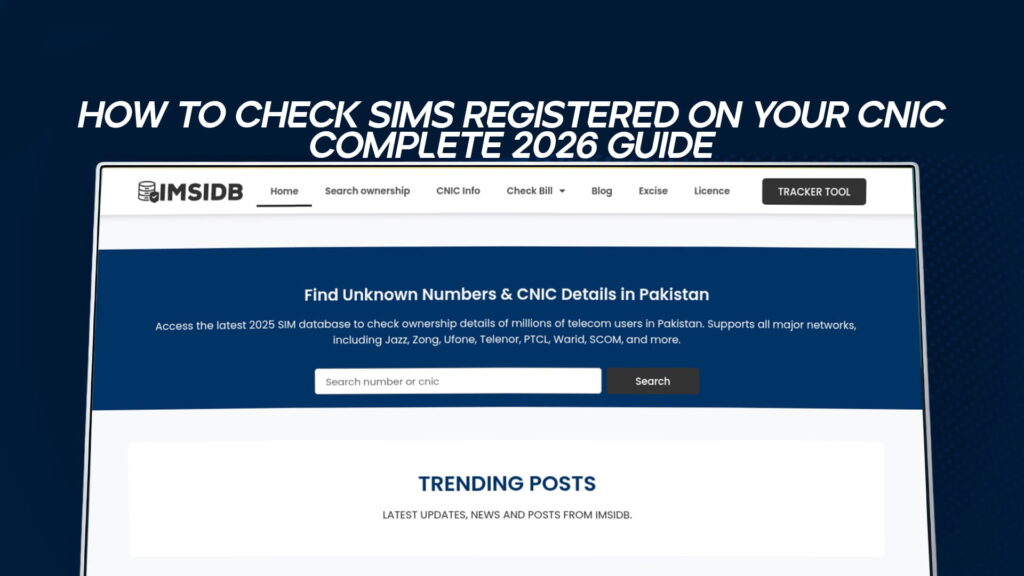
In Pakistan, your CNIC and your mobile numbers are permanently linked. Every SIM activated in the country is recorded against a 13-digit identity number through biometric verification, and that link is legally binding: whoever the CNIC belongs to is responsible for every SIM registered under it. That is exactly why knowing how to check the SIMs on your own CNIC is not a technical curiosity but a basic act of self-protection. This complete guide covers every official, free, and legal way to do it in 2026, how to read your results, and what to do the moment you find a number you do not recognise.
Quick answer: Send your CNIC number (13 digits, no dashes) by SMS to 668, or open the PTA SIM Information System at cnic.sims.pk. Both reveal every SIM registered against your identity, broken down by network, in seconds.
Understanding the CNIC–SIM Link
To understand why this check matters, it helps to know how the system works. When you buy a SIM at any authorised point of sale in Pakistan, the retailer captures your fingerprint and verifies it against NADRA’s biometric record. Once verified, PTA creates a permanent record tying that SIM to your CNIC. From that moment, every call, message, data session, and financial transaction on that number is legally attributable to you as the CNIC holder.
This biometric framework exists to curb the misuse of anonymous SIMs in fraud and crime. It works well in the sense that a SIM cannot normally be issued without a real fingerprint. But it has a sharp edge: it means you are accountable for every SIM registered under your identity, including ones you may not know exist. A number activated through a lax retailer, a forgotten old connection, or a SIM registered using a leaked copy of your CNIC all sit on your record with your name attached.
The scale of this is not hypothetical. Pakistani authorities detect millions of unauthorised SIM registrations — mobile connections issued using stolen, photocopied, or fraudulently obtained CNIC data without the holder’s knowledge. The most serious consequence is that when criminal activity is traced to one of these numbers, investigators look at the registered CNIC holder first. Checking your own record is how you find these problems before they find you.
Why You Should Check the SIMs on Your CNIC
People run this check for several practical reasons:
- To find unauthorised SIMs registered in their name without consent, which is the single most important reason.
- To stay within the legal SIM limit per network and overall.
- To close old, unused numbers still active in their name and creating needless exposure.
- To confirm their banking and OTP numbers are correctly registered to them.
- For peace of mind after sharing a CNIC copy somewhere, such as a hotel, shop, or online form.
A check takes under a minute and costs little to nothing, which makes it one of the highest-value security habits available to any Pakistani citizen.
Method 1: Check by SMS to 668
This is the fastest method, works on any handset, and needs no internet connection.
- Open your phone’s messaging app.
- Type your CNIC number as 13 digits with no dashes and no spaces — for example, 4210112345671 rather than 42101-1234567-1.
- Send it to 668.
- Within seconds you receive a reply showing how many SIMs are registered under your CNIC and the count across networks.
There is a nominal SMS charge of roughly Rs. 2 plus tax, which is the only cost. The reply is generated from the live central registration record, so the count reflects any recent activation within minutes. If you just activated a SIM at a franchise and it does not appear yet, wait a short while for the systems to sync and resend.
Method 2: Check Online via the PTA SIM Information System
For a clearer, organised view, PTA’s free official web portal is the better choice.
- Visit cnic.sims.pk, the official PTA SIM Information System.
- Enter your CNIC number without dashes.
- Complete the on-screen verification (captcha) so the system confirms a genuine request.
- Submit.
The portal then displays the number of SIMs registered against your CNIC for each telecom operator, drawn directly from the national record. Because it lays everything out network by network and is completely free, this is the preferred method when you want to actually study your registrations rather than glance at a single SMS count — particularly if you suspect something is wrong and want the full picture before acting.
Method 3: Operator Self-Service Codes
Beyond PTA’s two central tools, each network offers its own self-service option for checking details tied to your number. Jazz, Zong, Ufone, and Telenor each maintain a USSD or SMS code that returns connection details, and these usually work without mobile data. Because operators occasionally update these codes, confirm the current one on your network’s official app or website rather than relying on an old forwarded message. These codes are handy for verifying details on a specific number you already hold.
Method 4: Franchise Biometric Verification
For the most thorough check, especially of older connections, visit any official telecom franchise or service centre with your original CNIC. Staff can confirm whether the SIMs registered on your CNIC were properly biometrically verified. This matters because SIMs issued before biometric registration became mandatory can sit on your record without a fingerprint ever being tied to them — exactly the kind of gap that lets an unauthorised registration slip through unnoticed. If a SIM appears on your record but was never backed by your biometric, treat it as a red flag to resolve in person.
How to Read Your Results: What the Record Shows
Depending on the method, the record tied to your CNIC can include:
- Full name as recorded on your NADRA-issued CNIC.
- CNIC number linked to each SIM.
- Network operator for each connection (Jazz, Zong, Ufone, Telenor, SCOM).
- Activation date of each SIM.
- Registered address captured during biometric verification.
- SIM status — active, blocked, or deactivated.
The 668 SMS gives you the headline count and network breakdown. The cnic.sims.pk portal and an in-person franchise visit give you the fuller detail when you need to investigate.
How Many SIMs Can Be Registered on One CNIC?
PTA sets a limit on how many SIMs a single CNIC can hold per network — commonly cited as up to five connections per operator. If your check returns more SIMs than you remember activating, or more than you would expect across all networks, treat the surplus as something to investigate rather than ignore. The limit exists partly to make unauthorised registration easier to spot: a count that does not match your own usage is a clear prompt to look closer.
Found a SIM You Did Not Register? Here’s What to Do
Discovering an unfamiliar number is unsettling, but the path forward is clear. Do not ignore it.
- Confirm through the official record. Re-check on cnic.sims.pk so you are working from the authoritative source.
- Identify the network. The record tells you whether the unknown SIM is on Jazz, Zong, Ufone, or another operator.
- Report and request a block. Contact the relevant operator to report the unauthorised SIM and ask for it to be blocked and deregistered, and file a complaint with PTA so there is a regulator-level record.
- Visit a franchise if needed. For anything requiring identity confirmation or biometric re-verification, going in person with your original CNIC is the cleanest route.
- Keep a record. Note the date you found it, the network, and any complaint reference, in case the number was used for something before you caught it.
For identity misuse beyond a single SIM — a wallet opened in your name, or signs of fraud — report to the National Cyber Crime Investigation Agency (NCCIA) through its official channels, as it now handles cybercrime and identity-misuse cases in Pakistan.
The Legal and Privacy Line You Must Not Cross
This is the part that separates safe, legal checking from a costly mistake. The official PTA methods are for checking your own CNIC, or verifying a SIM that is genuinely in your own possession. They are not designed — and not legal — for looking up another person’s registration data, tracing a stranger’s number, or finding out who owns an arbitrary SIM.
In Pakistan, an individual’s SIM and CNIC information is protected personal data. Websites and apps that promise to reveal the owner of any number, pull up someone else’s CNIC details, or track a person’s location are operating outside the law. They typically run on leaked or stolen databases, they put your own data at risk the moment you use them, and relying on them can create legal liability for you rather than protect you. The safe rule is simple: use PTA’s official channels to check what belongs to you, and treat any third-party promise to reveal other people’s ownership, numbers, or location as a warning sign, not a feature. If you are receiving harassment or scam calls, report the number to your operator and to the relevant authority — do not try to unmask the caller through an unauthorised tool.
What Changed in 2026
A few developments shape the current landscape:
- Biometric verification is firmly standard for SIM activation and porting, which makes it harder for SIMs to be issued without a genuine fingerprint, though pre-biometric legacy connections can still linger on some records.
- PTA’s records sync in near real time with NADRA verification at the point of activation, which is why a SIM you activate at a franchise generally appears on your record almost immediately.
- Enforcement against illegal SIM sales and unauthorised data services has tightened, with stronger penalties — one more reason to stay strictly on the official side.
For the record, there is no legal rule requiring you to check on a fixed schedule. Treat it as a sensible personal habit, not a deadline.
Best Practices to Stay Protected
- Run the 668 check or the cnic.sims.pk lookup a couple of times a year, and after any time you have shared a CNIC copy.
- Close out old numbers you no longer use so they do not sit active in your name.
- Watch the biometric scan whenever you hand over your CNIC for an activation, and confirm exactly what is being registered.
- Mark CNIC photocopies with the purpose and date before sharing them, so they cannot be reused elsewhere.
- Ignore links or messages promising “SIM owner details” for any number — they are scams or illegal tools.
- Enable two-factor authentication on your banking and important accounts so a compromised number alone cannot unlock them.
Send your 13-digit CNIC number with no dashes to 668 by SMS, or enter it on the PTA SIM Information System at cnic.sims.pk. Both show every SIM registered against your identity across all networks.
The cnic.sims.pk portal is free. The SMS to 668 carries a small charge of around Rs. 2 plus tax, which is the only cost involved.
PTA sets a per-network limit, commonly cited as up to five SIMs per operator. If your check shows more than you recognise or expect, investigate the extras.
No. Another person’s SIM and CNIC data is private and legally protected. Official methods are only for checking your own CNIC or a SIM you personally hold. Third-party tools claiming to reveal other people’s details are illegal and usually fraudulent.
Confirm it on cnic.sims.pk, then contact the relevant operator and file a PTA complaint to block the unauthorised number. Visit a franchise with your original CNIC if identity confirmation is needed.